
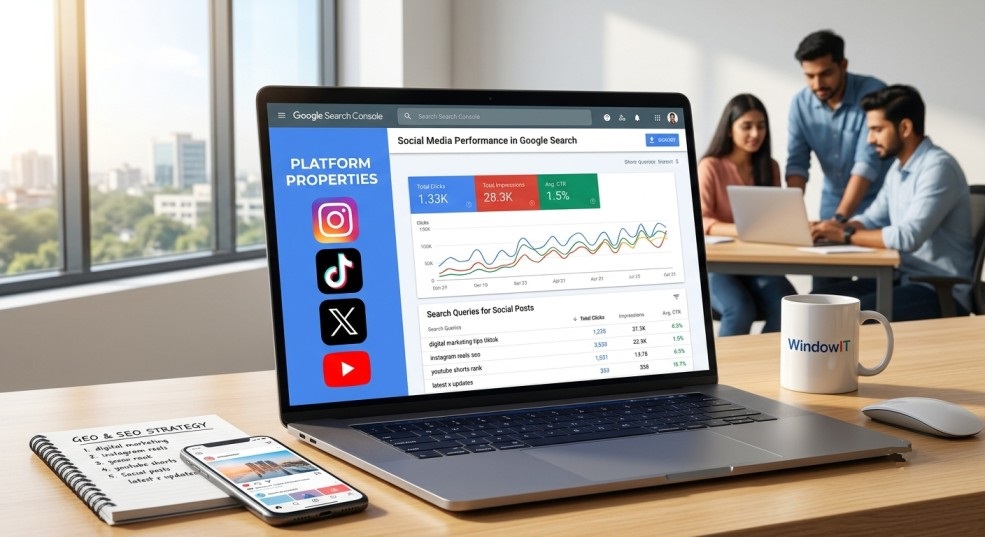
Google has officially rolled out one of its most transformative Search Console features in years: Platform Properties. For the first time, creators, brands, and digital marketers can track their organic search performance across third-party social media channels directly within Google Search Console (GSC). By introducing dedicated verification for platforms like Instagram, TikTok, X (formerly Twitter), and YouTube, leveraging google search console social media analytics allows creators and digital strategists at WindowIT to measure how social media content surfaces in Google Search, Discover, and Google News without needing a traditional website domain.
This groundbreaking update bridges the long-standing gap between organic search optimization (SEO) and social media marketing. In this detailed guide, WindowIT Technologies breaks down everything you need to know about setting up Platform Properties, analyzing your social performance data, and implementing Generative Engine Optimization (GEO) strategies to dominate search results.
What Are Google Search Console Platform Properties?
Traditionally, Google Search Console required users to verify ownership of an entire web domain (using DNS records) or a URL prefix hosted on a server. Content creators and social media managers who produced high-performing Reels, TikTok videos, or X posts could see native in-app metrics—such as likes, shares, and watch time—but had zero visibility into how many users discovered their posts through Google Search.
Platform Properties solve this problem. A Platform Property is a standalone Search Console asset created by linking and verifying an official social media account or channel.
+-------------------------------------------------------------------------------+
|                       Search Console Property Architecture                    |
+-------------------------------------------------------------------------------+
|  1. Domain Properties    | Tracks entire domain & subdomains (e.g., site.com) |
|  2. URL-Prefix Properties| Tracks specific web paths (e.g., site.com/blog)   |
|  3. Platform Properties  | Tracks social channels (Instagram, TikTok, X, YT) |
+-------------------------------------------------------------------------------+
Supported Social Media Platforms
As of the global rollout, Google supports direct integration with four major social platforms:
-
Instagram: Profile pages, posts, Instagram Reels, and Stories.
-
TikTok: User profiles and organic video content.
-
X (Twitter): Public profile pages and individual posts/tweets.
-
YouTube: Full channel pages, long-form video uploads, YouTube Shorts, and public playlists.
Key Features of Google Search Console Social Media Analytics
It is important to clarify that Search Console does not replace native analytics tools like Instagram Insights, TikTok Analytics, or YouTube Studio. Native platform tools monitor activity inside the social app, whereas Search Console tracks organic discovery outside the app on Google’s search surfaces.
+-----------------------------------------------------------------------------------+
|                        Native Analytics vs. GSC Analytics                         |
+-----------------------------------------------------------------------------------+
| Metric Type            | Native Social Analytics    | GSC Platform Properties     |
+------------------------+----------------------------+-----------------------------+
| Measurement Focus      | In-app activity & feeds    | Google Search & Discover    |
| Core Metrics           | Likes, Shares, Watch Time  | Impressions, Clicks, CTR    |
| Search Intent Data     | Limited / In-app search    | Exact Google Search Queries |
| Website Needed?        | No                         | No                          |
+------------------------+----------------------------+-----------------------------+
1. Performance Report for Social Channels
Inside your Platform Property, the Performance Report delivers essential search metrics:
-
Clicks: The number of times a user clicked a Google Search result that directed them to your social profile or post.
-
Impressions: How often your social posts or profile appeared in search engine results pages (SERPs) or Google Discover feeds.
-
Average CTR (Click-Through Rate): The percentage of impressions that converted into clicks.
-
Search Queries: The exact keywords and conversational phrases typed into Google that triggered your social media content.
2. Traffic Source Breakdown across Google Surfaces
Your social content can trigger impressions across multiple Google ecosystems:
-
Standard Google Search: Web SERPs, video carousels, and visual web units.
-
Google Discover: Personalized content feeds on mobile devices where trending Reels, TikToks, and YouTube Shorts frequently surface.
-
Google News: Relevant social announcements and viral threads appearing in news listings.
How to Set Up Google Search Console Social Media Analytics Step-by-Step
Setting up your social accounts in Google Search Console takes only a few minutes. Follow these step-by-step instructions provided by the expert training team at WindowIT Technologies:
-
Access Google Search Console: Log into your primary Google account at
search.google.com/search-console. -
Open the Property Selector: Click the top-left dropdown menu displaying your current verified web properties.
-
Select “Add Property”: Scroll to the bottom of the list and click the + Add Property button.
-
Choose Platform Property: In the configuration window, locate the Platform Properties section and select the icon for Instagram, TikTok, X, or YouTube.
-
Authenticate Ownership: Complete the secure OAuth sign-in flow by logging into the corresponding social account and granting access permissions.
-
Confirm Connection: Once verified, click Go to property.
-
Allow Processing Time: Initial search metrics require 24 to 48 hours to process and reflect accurately in your dashboard reports.
Pro Tip from WindowIT: If you manage multi-channel campaigns across Instagram, TikTok, and YouTube, create a separate Platform Property for each account to compare search visibility side-by-side.
Leveraging Google Search Console Social Media Analytics for GEO & SEO Growth
Understanding google search console social media analytics unlocks powerful growth opportunities for digital agencies, creators, and business owners. Here is how you can transform GSC data into actionable strategy:
1. Optimize Social Bios and Captions for Search Intent
By analyzing the query data inside your Platform Properties, you can see the precise terminology users employ when discovering your brand on Google. Incorporating these search terms directly into your Instagram bio, TikTok video descriptions, X post text, and YouTube video tags boosts your organic visibility.
2. Implement Generative Engine Optimization (GEO)
AI search engines like Google AI Overviews, Gemini, ChatGPT, and Perplexity rely heavily on authoritative social discussions, short-form video transcripts, and community feedback to synthesize answers. Seeing which social posts generate high Google search impressions allows you to structure content using direct-answer formatting, clear entity tags, and topical keywords that AI algorithms prioritize.
3. Identify Content Gaps Between Your Website and Social Profiles
Compare keyword performance between your main website property and your social platform properties. If a specific keyword drives high search traffic to your TikTok video but your website does not rank for it, you have identified a prime opportunity to create a dedicated blog post or service page to capture that organic traffic directly.
Strategic Advantages for Digital Marketing Professionals
At WindowIT Technologies, we emphasize practical, future-ready marketing skills. The introduction of GSC Platform Properties offers distinct advantages for modern marketers:
-
Holistic Client Reporting: Digital marketing agencies can now present comprehensive search reports that quantify how social campaigns contribute directly to Google Search discovery.
-
Website-Free Search Strategy: Solopreneurs and influencers can execute sophisticated SEO strategies without managing complex website servers or CMS platforms.
-
Enhanced Brand Protection: Monitoring search queries for your social brand handles ensures you maintain domain authority and visibility across all branded search results.
Frequently Asked Questions (FAQs)
Q1: Why is there no historical data showing up in my new Platform Property?
When you add a new social property to Search Console, Google starts processing data from the point of verification onward. It typically takes 24 to 48 hours for initial metrics to appear, and historical data prior to channel verification is not retrospectively generated.
Q2: Does Search Console measure total video views on TikTok or Instagram Reels?
No. Search Console exclusively tracks traffic driven through Google surfaces (Google Search, Discover, and News). To track in-app video views, engagement rates, and follower growth, you must continue using native platform analytics tools.
Q3: How do I keep my Platform Property connection active in GSC?
For security purposes, Google periodically re-verifies your account token. If you change social media passwords or revoke app permissions, your connection may pause. Simply re-verify ownership through the property settings menu to restore reporting without losing historical data.
Q4: How does WindowIT Technologies incorporate GSC Platform Properties into its training courses?
WindowIT integrates the latest search updates directly into its digital marketing curriculum. Students receive hands-on training on connecting social properties, conducting cross-channel keyword research, analyzing Google Discover trends, and combining SEO with GEO strategies for client projects.
Master Next-Gen Digital Marketing with WindowIT
As Google continues expanding search parameters across video and social media platforms, staying ahead of industry updates is vital for marketing success. Utilizing google search console social media analytics gives brands and creators a massive competitive edge in multi-channel visibility.
Ready to elevate your digital marketing expertise with industry-led live project training? Visit WindowIT Technologies today to explore our expert-led programs and master the future of search engine optimization, AI marketing, and social media analytics!